Portal-Dashboard & System-KPIs
Das Fami Hero Admin-Portal ist das zentrale Steuerungspanel für Systemadministratoren. Die Startseite bietet einen Echtzeit-Überblick über das Benutzerwachstum, die Gerätenutzung und aktive Serverwarnungen.
📈 1. Leistungskennzahlen (KPIs)
Am oberen Rand des Admin-Portals zeigt das System vier Haupt-KPI-Karten an, die den aktuellen Zustand des Servers widerspiegeln. Diese Karten aktualisieren sich alle 5 Minuten.
| KPI-Kennzahl | Praktischer Nutzen |
|---|---|
| Benutzer gesamt | Gesamtzahl der registrierten Eltern- und Administrator-Konten im System. |
| Aktive Geräte | Anzahl der gekoppelten Kindergeräte, die in den letzten 24 Stunden GPS-Daten gesendet haben. |
| SOS-Notfälle | Anzahl der ungelösten SOS-Notrufe, die eine sofortige Überwachung erfordern. |
| Systemwarnungen | Anzahl der unbestätigten Serverwarnungen (E-Mail-Fehler, SMS-Fehler, RAM-Auslastung). |
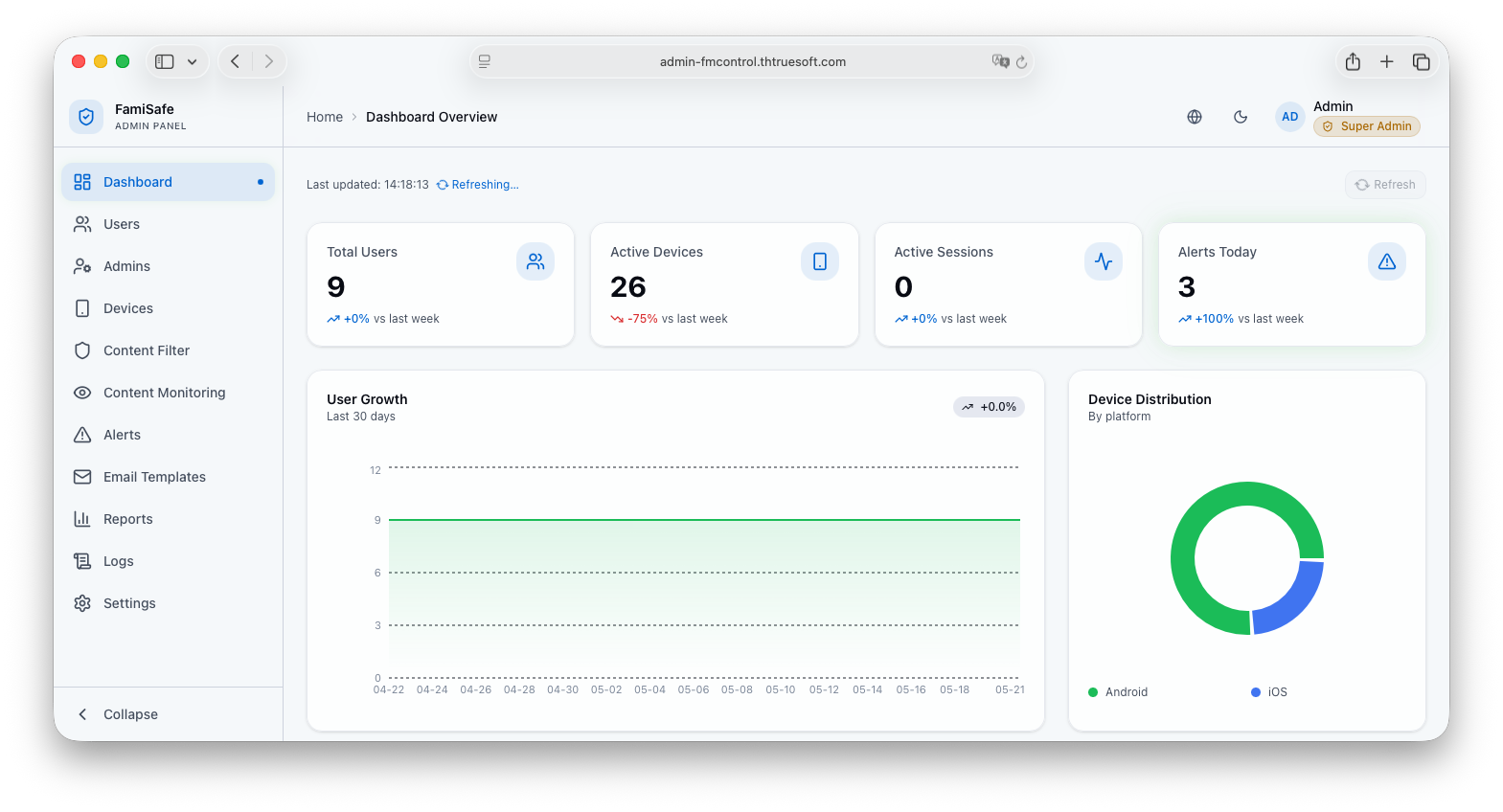 Bildunterschrift: Die KPI-Leiste am oberen Rand des Admin-Portals zeigt die aktuellen Systemdaten.
📊 2. Registrierungs- & Auslastungsdiagramme
Unter den KPI-Karten können Administratoren die Auslastungstrends mithilfe von interaktiven Diagrammen analysieren:
Benutzer-Registrierungstrends
- Inhalt: Ein Säulendiagramm, das die täglichen Neuregistrierungen von Eltern in den letzten 30 Tagen zeigt.
- Bedienung: Bewegen Sie den Mauszeiger über eine Säule, um die genaue Anzahl der erstellten Konten anzuzeigen. Sie können den Zeitfilter auf Woche, Monat oder Quartal einstellen.
Echtzeit-Transaktions-Timeline
- Inhalt: Ein Liniendiagramm, das die Echtzeit-Auslastung von Standortaktualisierungen, Sperrbildschirmaktivierungen und Kopplungsbefehlen zeigt.
- Zweck: Hilft bei der Vorhersage von Spitzenlastzeiten, um Serverressourcen rechtzeitig anzupassen.
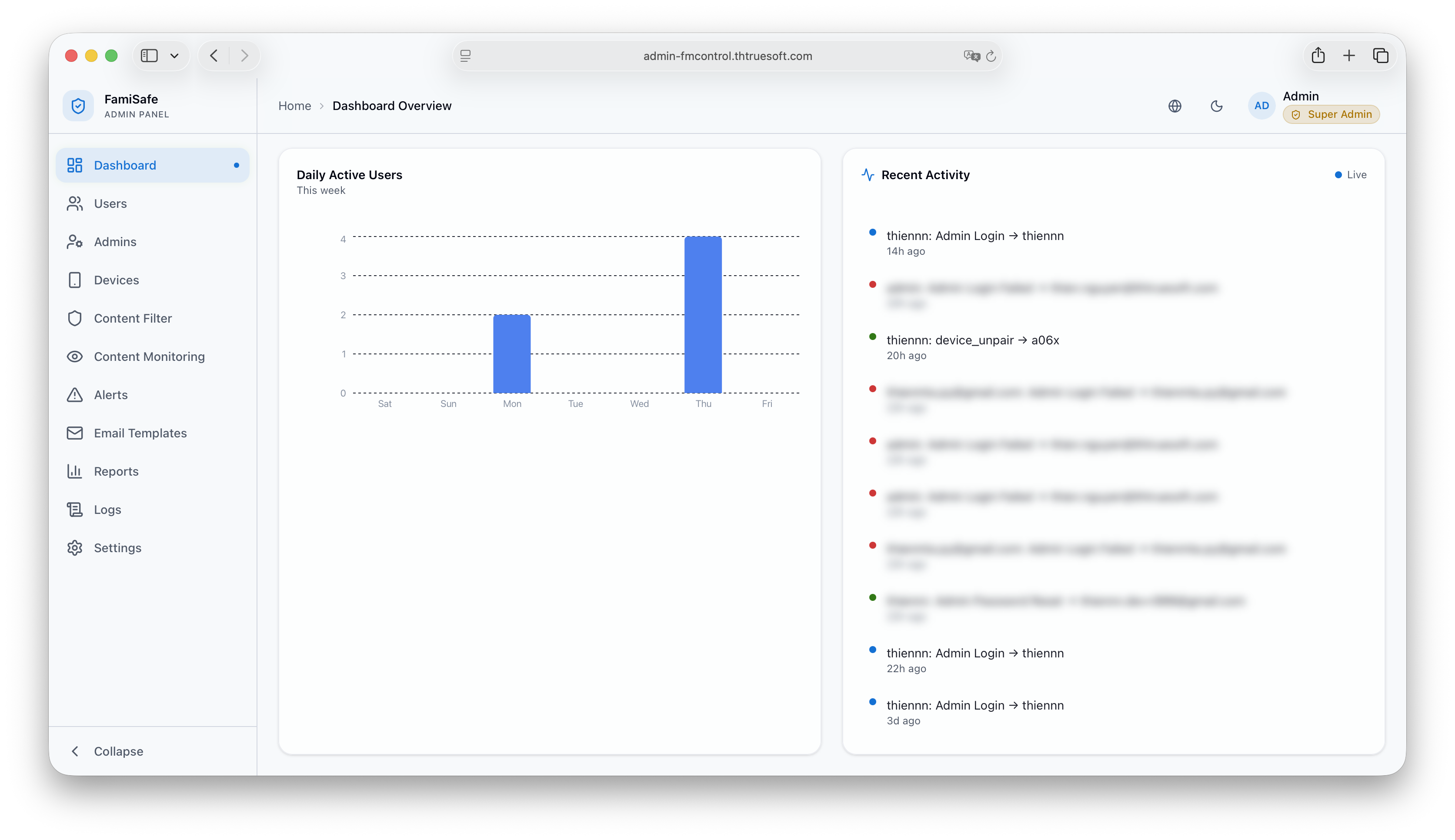 Bildunterschrift: Echtzeit-Diagramme zur Überwachung der Systemtransaktionen und der Benutzerregistrierungen.
🔒 3. Sicherheitsrichtlinien für Sitzungen
- Automatisches Abmelden: Um Sicherheitsrisiken zu minimieren, wird die Sitzung eines Administrators nach 15 Minuten Inaktivität automatisch beendet.
- Super-Admin-Rechte: Aktionen wie das Exportieren von Benutzerlisten, das Löschen von Konten oder das Ändern von Zahlungseinstellungen erfordern Super-Admin-Rechte und eine zusätzliche 2FA-Bestätigung.
⏭️ Nächster Schritt
Administratoren sind für die Einrichtung der Inhaltsfilterregeln verantwortlich. Lesen Sie weiter unter Inhaltsfilter & Sicherheitsrichtlinien.